Your whole year.
One planner.
Day, week, month and year views, goals that update by themselves, habits, workouts, budget, meals, a journal and your family. On your phone and your computer, with reminders on your locked phone.
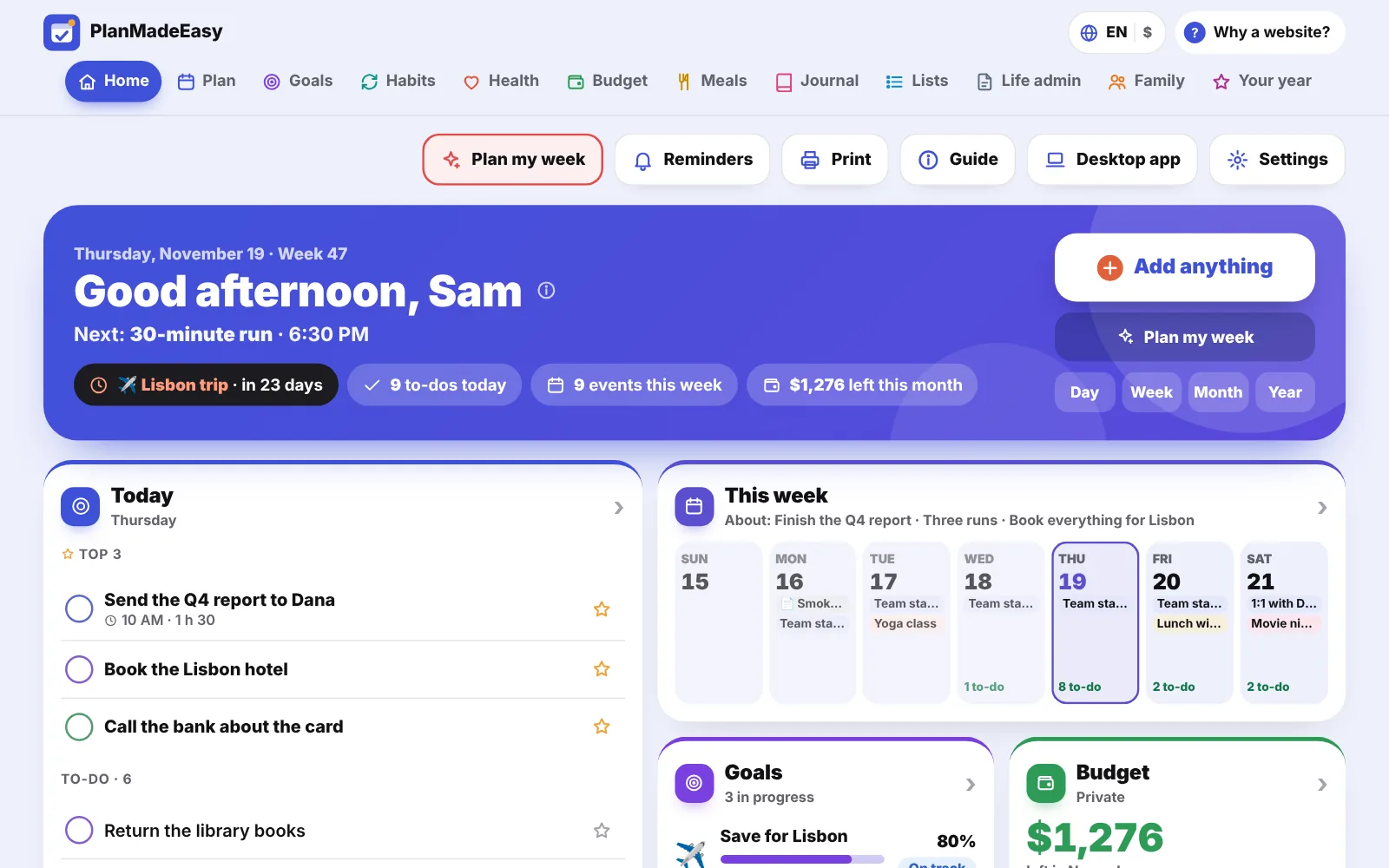
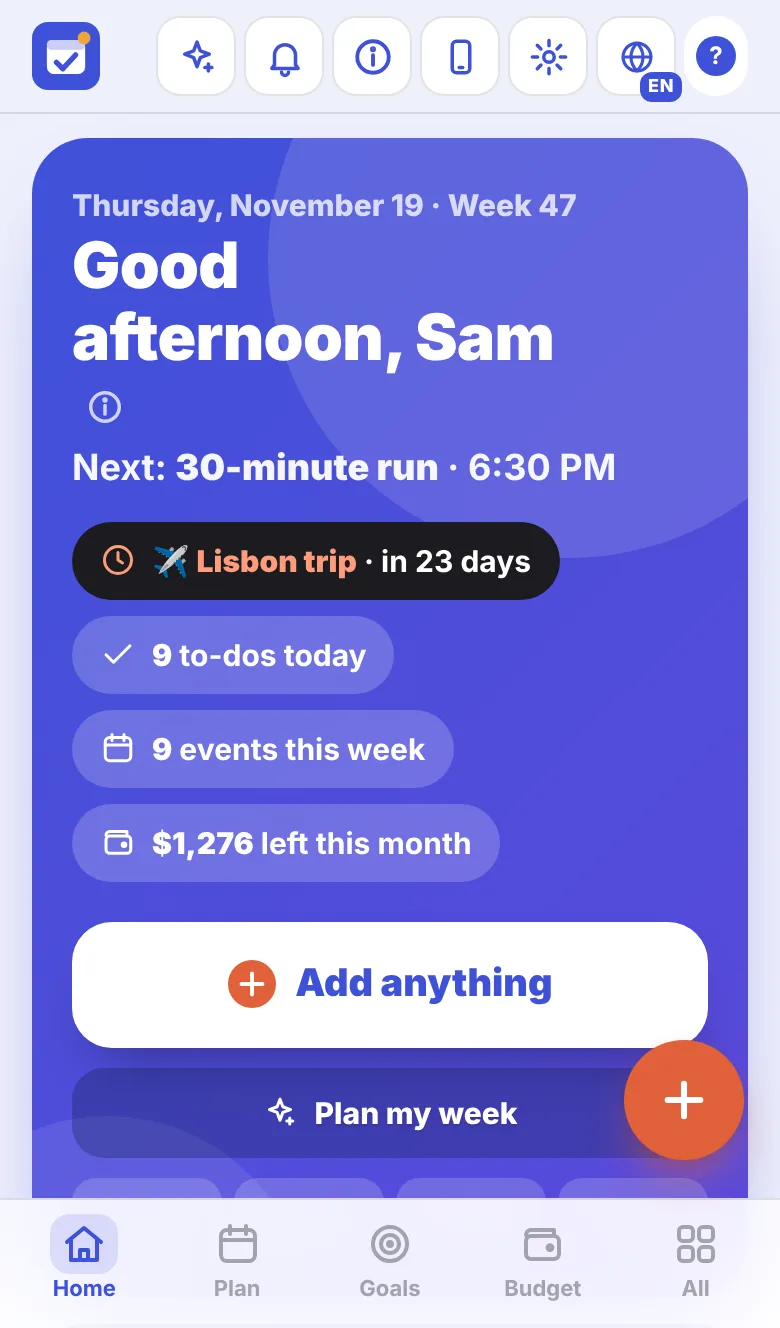
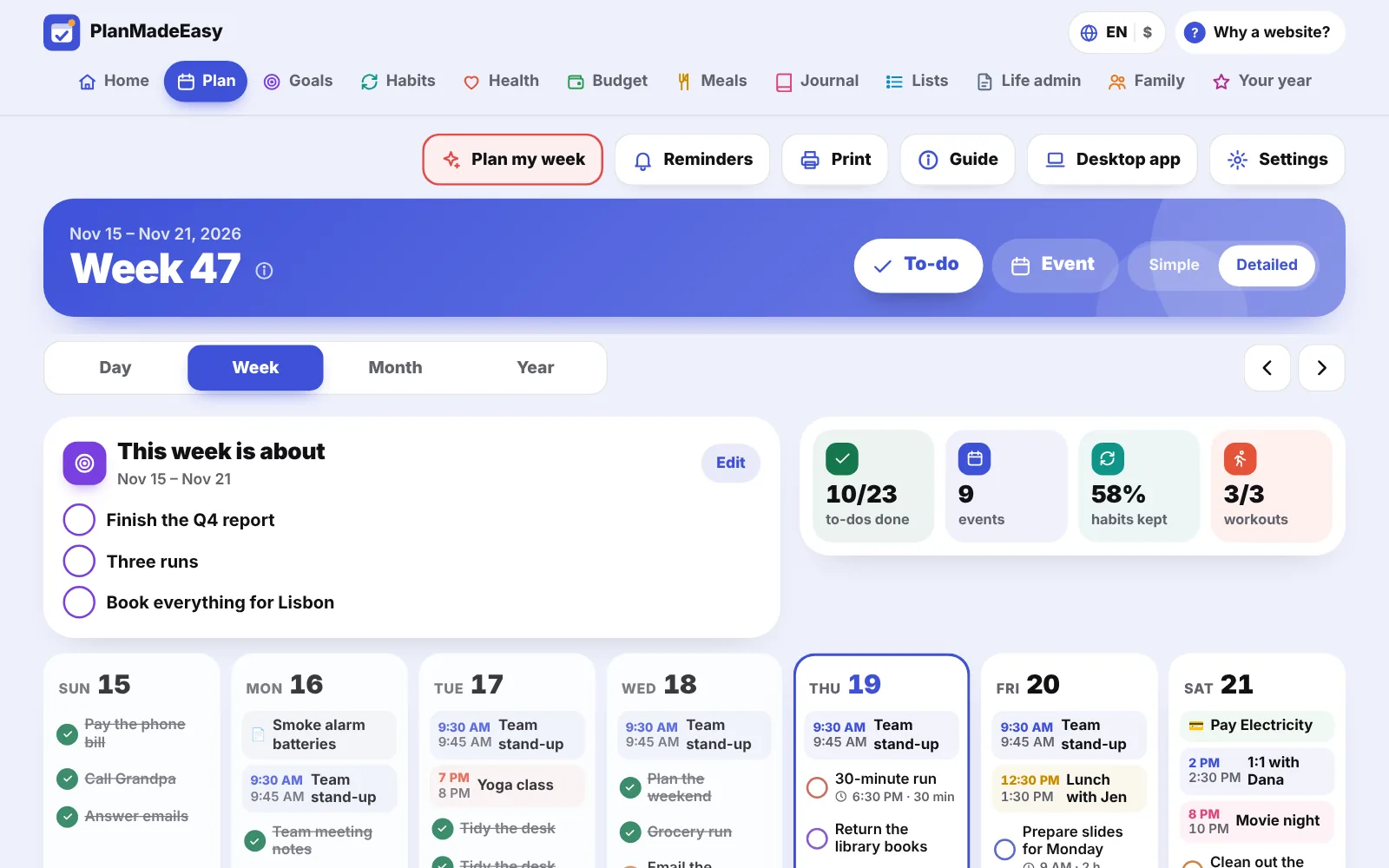
Zoom in on today.
Zoom out to the whole year.
The same plan, four ways to look at it. Swipe between days and weeks, tap any date to see what’s on.
Five calm minutes on a Sunday.
From Friday to Sunday, “Plan my week” walks you through next week: look back, pick what the week is about, choose your top to-dos, check the dates coming up, plan dinners. Then you start Monday knowing what matters.
Want it on paper too? Print your day, your week, your month or your meal plan, already filled in.
Eleven sections.
Each with its own color.
Every section has a Simple mode with just the essentials and a Detailed mode with charts and every option. Home puts the best of all of them on one page.
Plan
Day, week, month and year
- Events, to-dos and your top 3
- Repeats: daily, weekly, monthly, yearly
- Plan my week, and printables
Goals
What you’re working toward
- Goals that update by themselves
- On track or behind: you see your pace
- A vision board with your own pictures
Habits
Small things, every day
- Habits on the days you choose
- Trackers: water, sleep, steps, anything
- Week grid and a year heatmap
Health
Workouts, body and health
- Log workouts with your own exercises
- A weekly goal, your routines, getting stronger
- Body check-ins, medicines, appointments, cycle
Budget
Where your money goes
- Simple: what’s left this month
- Bills, savings pots, spending limits
- Money calendar, 50/30/20, debts, net worth
Meals
Menu, recipes and shopping
- The week’s menu, every meal
- Your recipes, scaled to the people eating
- Shopping list sorted by aisle
Journal
A line a day, and how you feel
- One line and your mood, in seconds
- Three good things, a prompt a day
- Your year in moods, one pixel per day
Lists
Books, trips, bucket list and more
- Ready-made: books, movies, travel, packing
- Bucket list and gift ideas
- Rate what you read and watched
Life admin
Renewals, birthdays and big dates
- Passport, insurance, car, subscriptions
- Birthdays with ages and gift ideas
- Countdowns to trips and big days
Family
Shared with the people at home
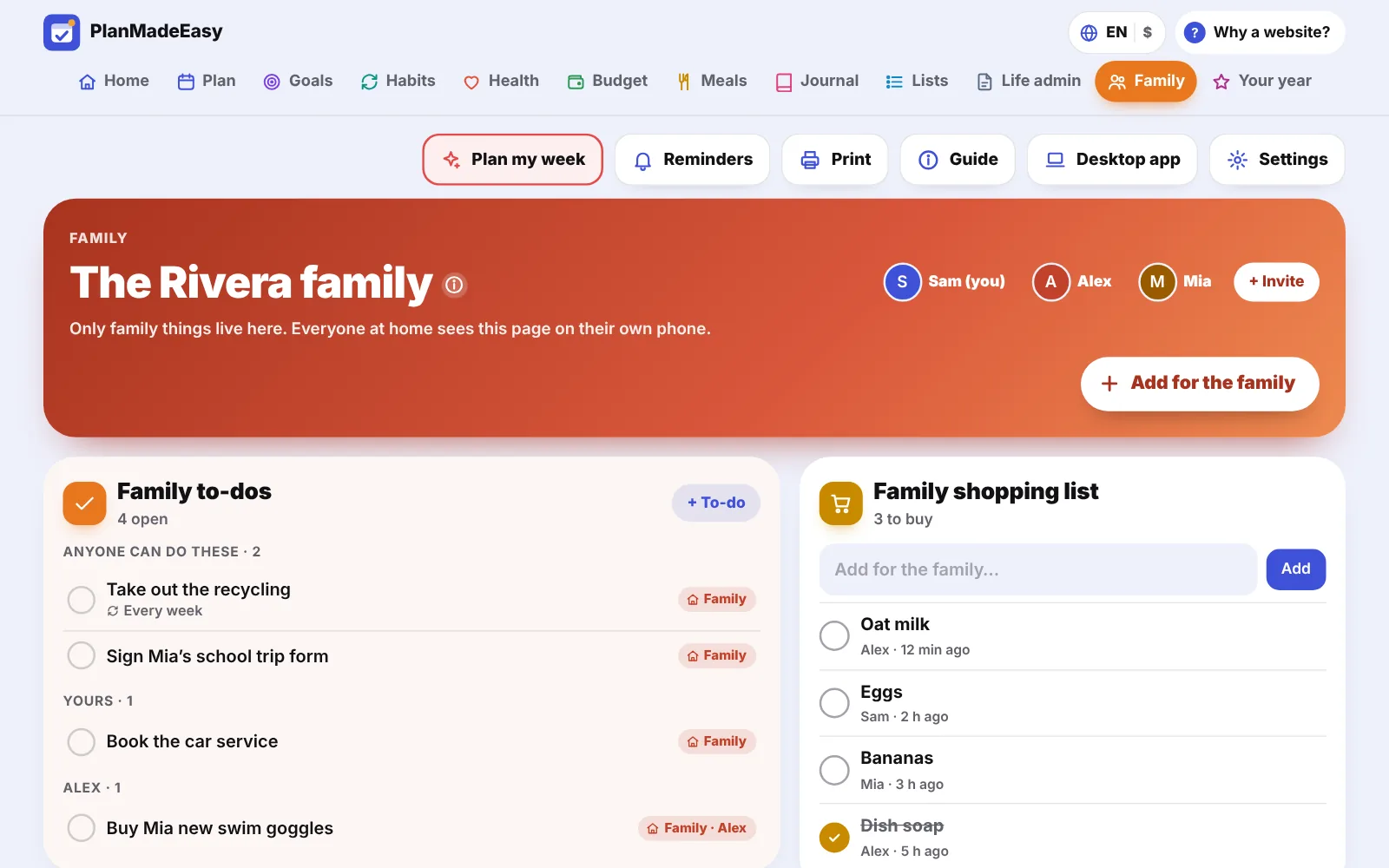
- Shared to-dos, calendar, shopping, meals
- A chore wheel that rotates by itself
- Up to 6 people, each on their own phone
Your year
What you did, and what to remember
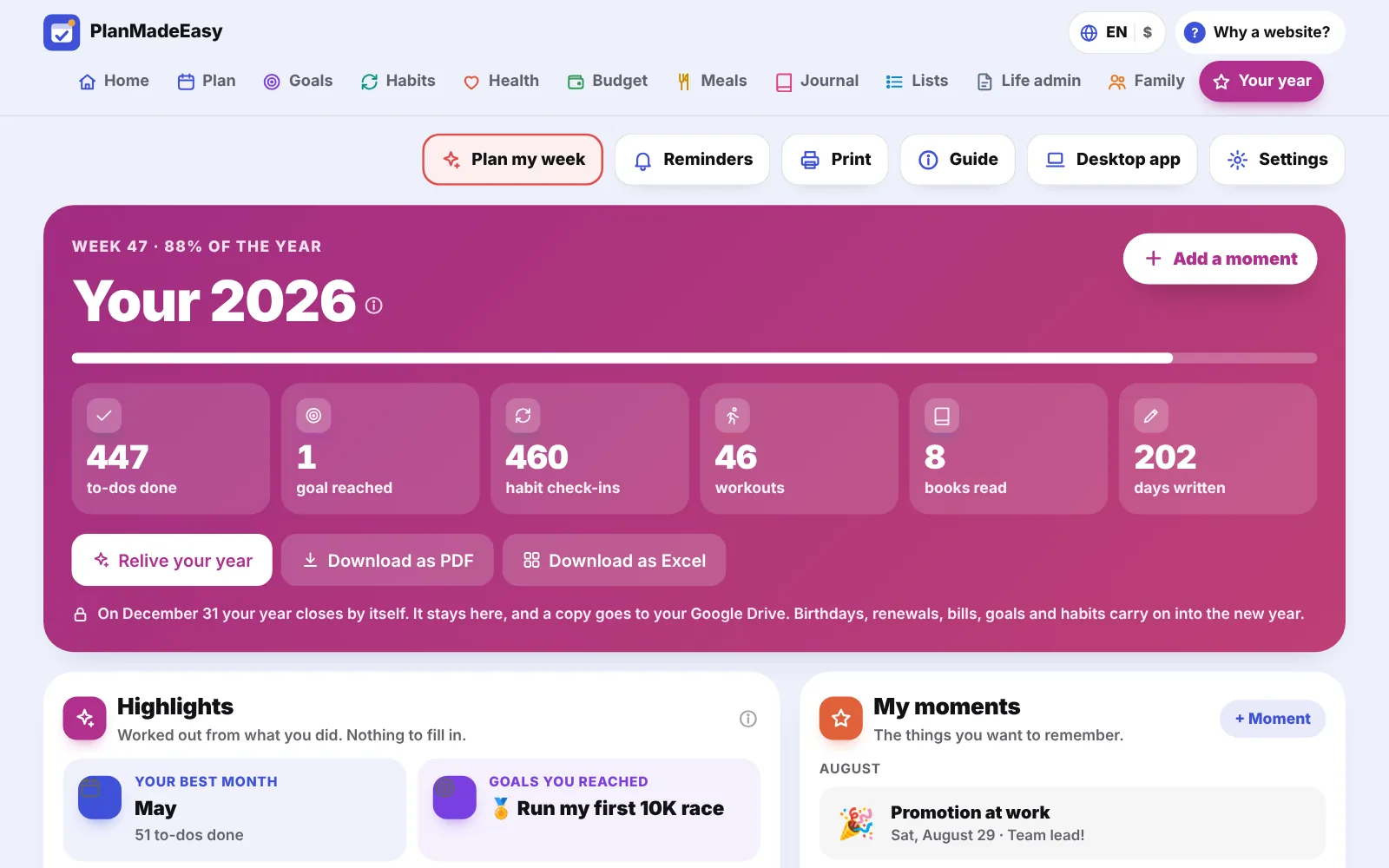
- Your year in numbers, from every section
- Highlights and moments to keep
- Download it as a PDF or an Excel file
Home
Everything at a glance
- Next up, today and this week
- Goals, budget, habits and meals in one page
- “Add anything”: type it, it finds its place
Log your life. Your goals keep score.
Link a goal to what you already do in the app. “Run 300 miles” counts your workouts. “Save for Lisbon” follows your savings pot. “Read 20 books” counts your book list. “Pay off the card” follows the debt. No double typing.
Each goal shows your pace, so you know early if you’re on track, ahead or behind.
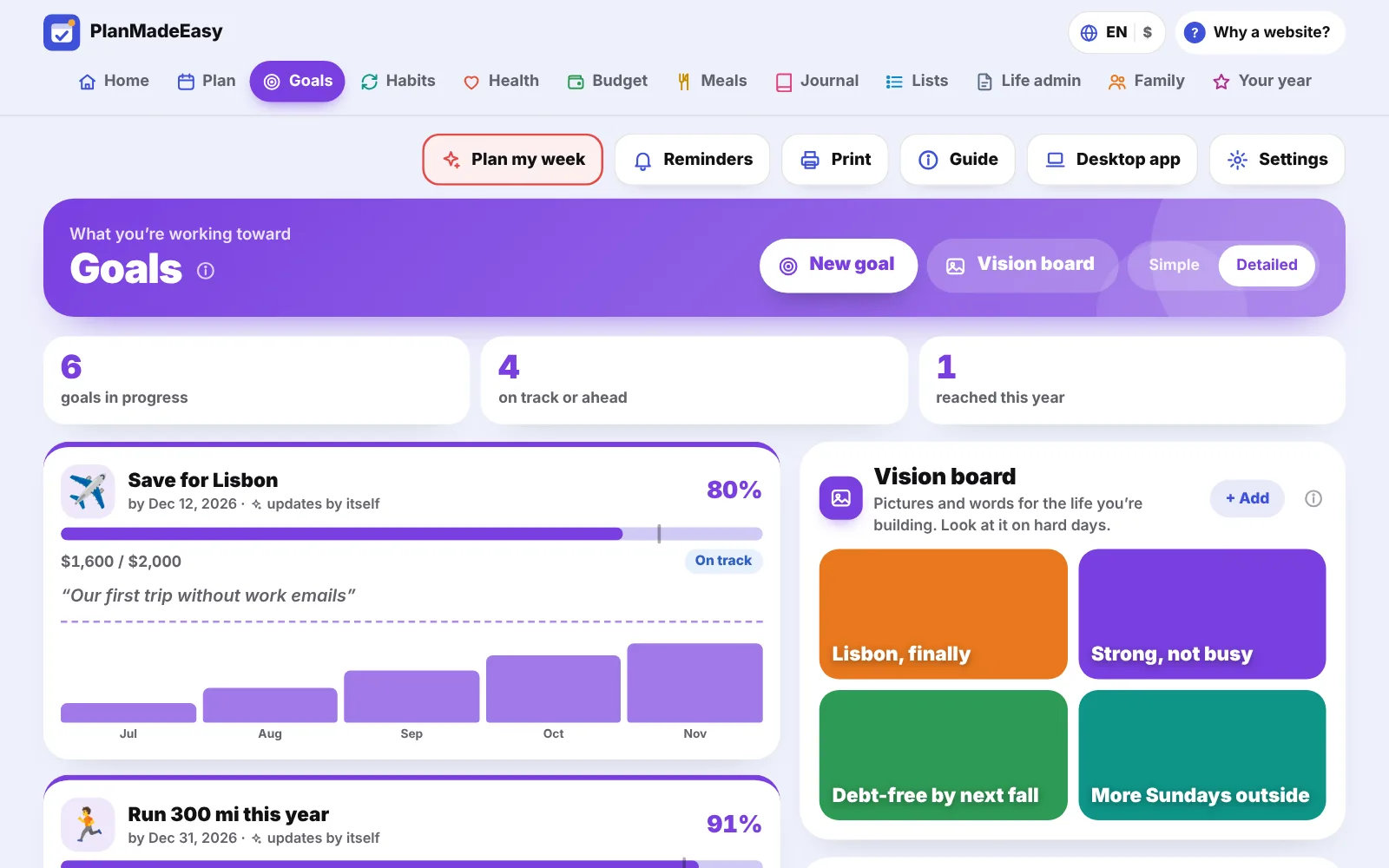
One number on a busy day. The whole picture when you want it.
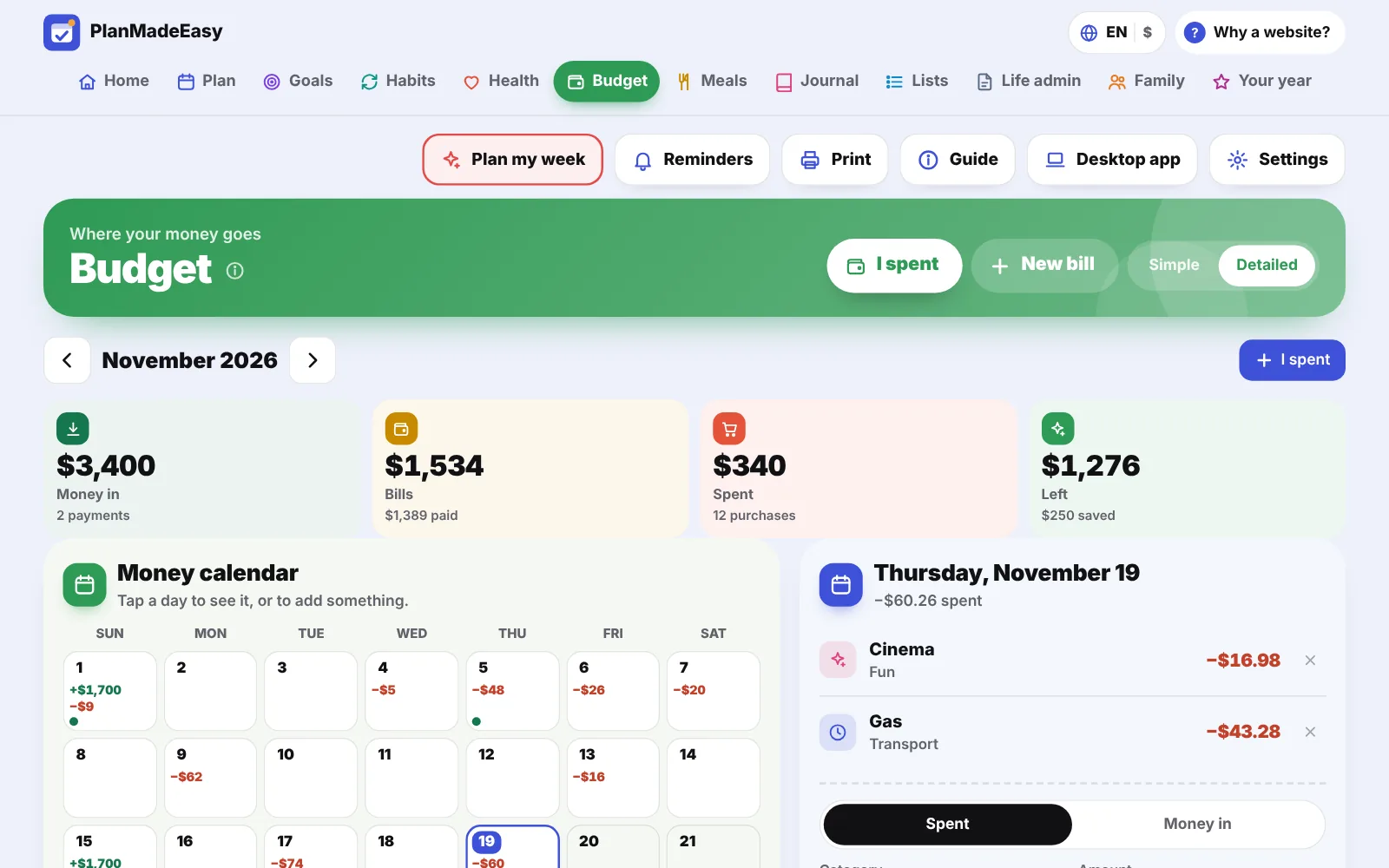
Budget in Simple mode tells you what’s left this month after the bills. In Detailed mode you get a money calendar, where your money went, the 50/30/20 check, six months of history, a debt payoff plan and your net worth. Every section works the same way.
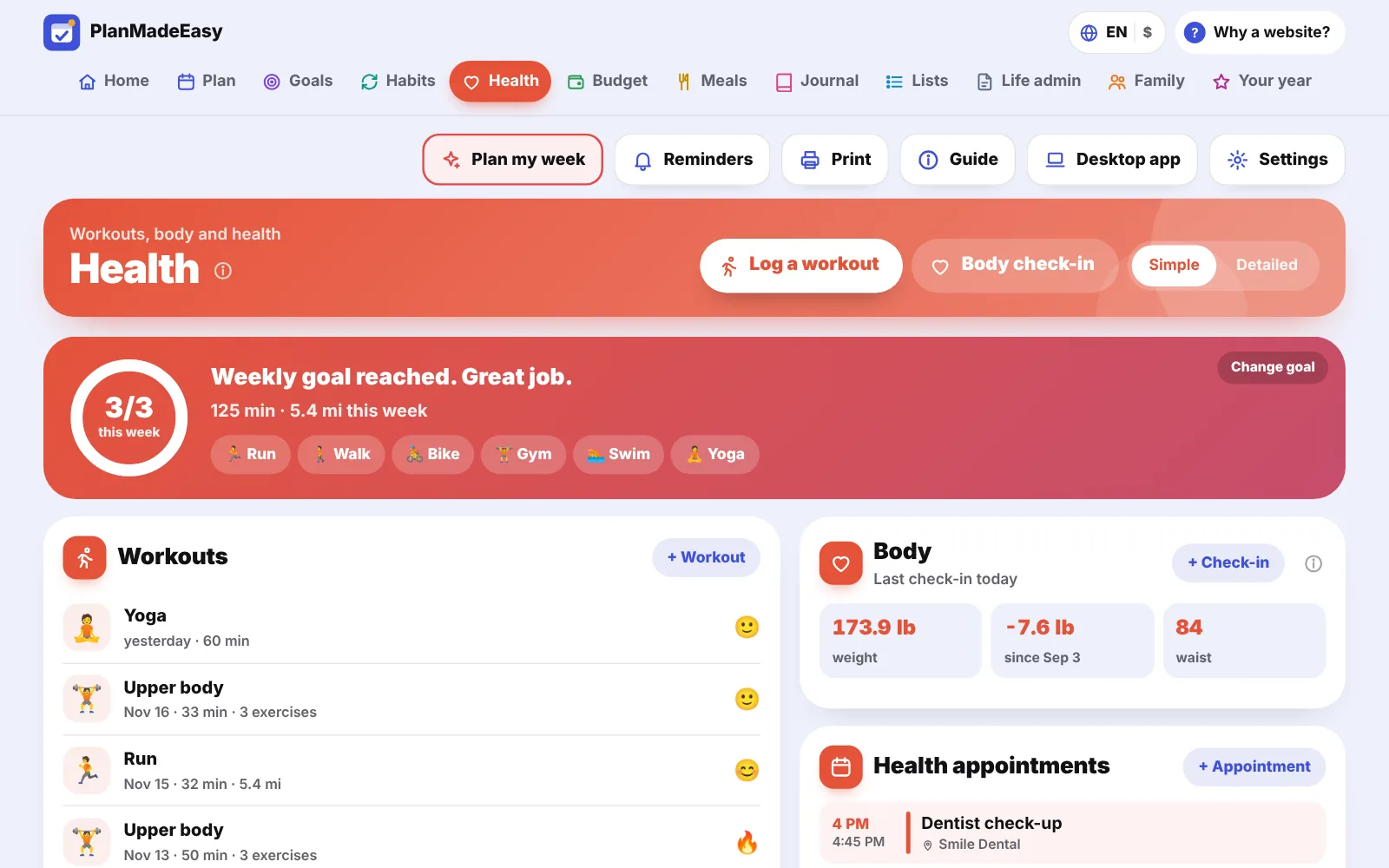
Your workouts, written your way.
Log a run, a yoga class or a gym session with your own exercises, like “Squat 3x10 @ 40”. Set a weekly goal, save your routines and watch your weights go up. Body check-ins, medicines, appointments and a cycle tracker are here too, all in your private planner.
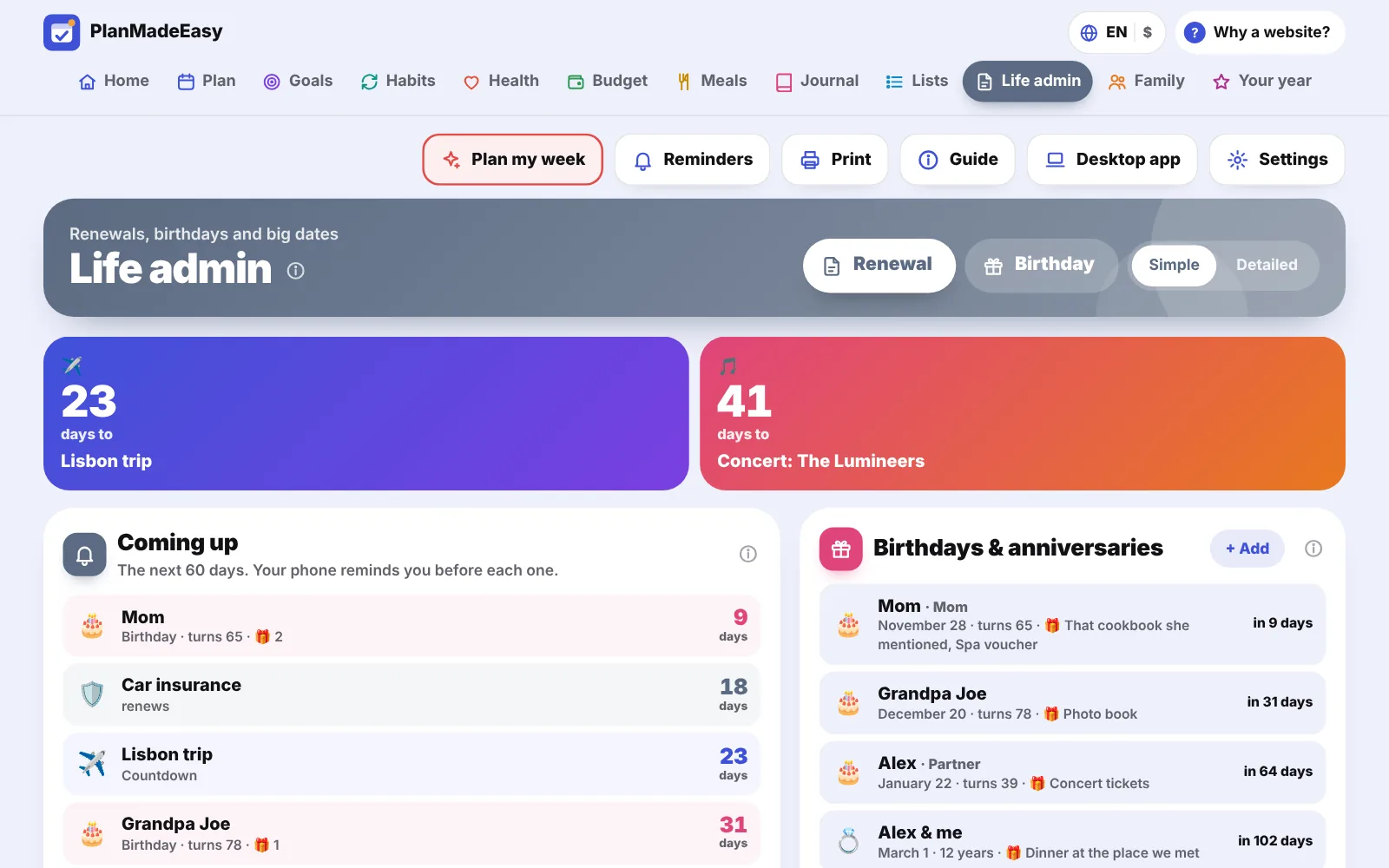
Never miss a renewal or a birthday again.
Passport, car insurance, the boiler service, subscriptions: add the date once and get reminded weeks ahead. Birthdays show how old they’re turning, with a place for gift ideas. And a countdown to the trip you’re waiting for, right on Home.
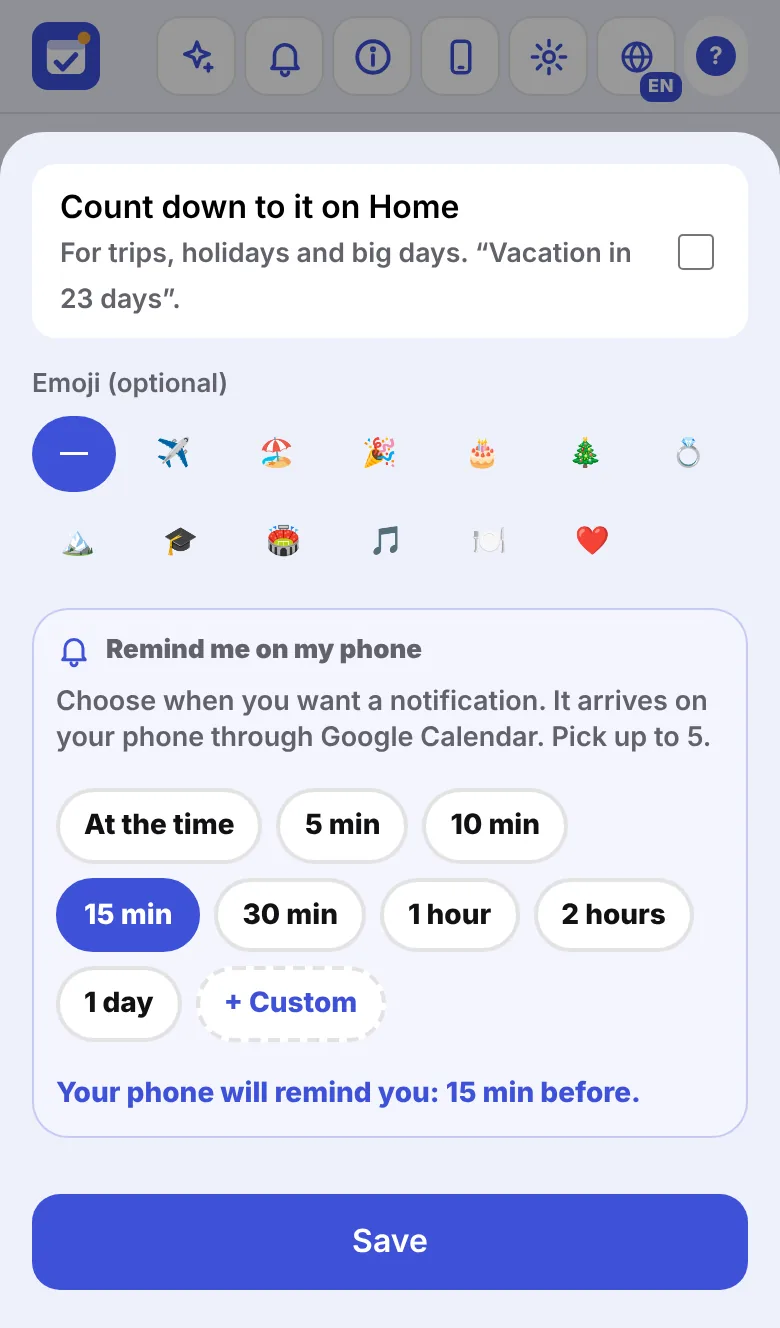
Every reminder, exactly when you want it. On your locked phone.
For each event, to-do, bill, renewal or birthday you choose when to be reminded: at the time, 15 minutes before, a day before, a week before, or anything you like. PlanMadeEasy puts it into your own Google Calendar, and Google Calendar reminds you. Free, automatic, always up to date.
- 1Connect your Google accountOnce. Your reminders turn on by themselves.
- 2Get the free Google Calendar appAnd allow its notifications.
- 3That’s itChange something in the app, your calendar updates in seconds.
Your planner is yours. The family page is everyone’s.
It starts as your own planner. Invite your partner, kids or roommates whenever you want. Every time you add something, you choose who it’s for.
Your goals, budget, health and journal are never shared. They stay in your own Google Drive.
On December 31, look back at everything you did.
Your year builds itself from every section: to-dos done, goals reached, workouts, books, best month, your moods and the moments you saved. Relive it as a story, then download it as a PDF or an Excel file. Next year starts by itself, and last year stays in your Google Drive.
Paper is lovely.
Your life happens on your phone.
| Printable or spreadsheet planner | PlanMadeEasy | |
|---|---|---|
| Easy on a phone | Tiny cells, lots of zooming | Made for your phone |
| Reminders | None | On your locked phone, when you choose |
| Goals and charts | You fill in every number | They update from what you log |
| Family | One copy, everyone sees everything | Shared page + your private planner |
| Next year | Buy or copy a new one | Starts by itself, dates roll over |
| Want paper? | Yes | Yes: print your day, week, month or menu |
Online on purpose. Safe, and here to stay.
A planner file you download can’t save itself to your Drive, can’t sync your phone and computer, can’t remind you on a locked phone and can’t be shared. Online, PlanMadeEasy can do all of it.
- Costs nothing to keep onlineSo there’s no bill that could ever make it disappear.
- Runs on CloudflareOne of the biggest and most reliable networks in the world, used by millions of websites.
- Your data stays yoursIn your own Google Drive. I can’t see your plans, your budget or anything you write.
- The app only sees its own filesNever your other files, photos, emails or calendars.
- Free updatesThey arrive by themselves and never touch what you entered.
- Nothing to loseBackups twice a day, and a copy to a file whenever you like.
Questions
Who is it for?
Anyone who wants one place for the whole year: plans, goals, habits, workouts, money, meals and family. If you have ADHD, have a look at DoneMadeEasy, its sister app, made for ADHD brains.
How do reminders work?
Through your own Google Calendar, for free. When you connect your Google account, PlanMadeEasy keeps a calendar of its own called “PlanMadeEasy” up to date, and Google Calendar reminds you on your phone, even when it’s locked. You choose when for each item. Just install the free Google Calendar app and allow its notifications.
Do I have to use every section?
No. Use what you need. Sections you don’t use simply stay empty, and you can switch them to Simple mode to keep things light.
Can I use it just for myself?
Yes. It starts as your own planner. You can invite your family later, or never.
How does the family part work?
You invite people with their Gmail. Google emails them a link, and they join on their own phone. They see only what anyone adds “For the family”. Each person keeps their own private planner.
Does it work on iPhone, Android and computers?
Yes. Add it to your Home Screen and it opens like a regular app. On a computer you get a bigger view of the same planner.
Can I print it?
Yes. You can print your day, your week, your month and your meal plan, already filled in, and download your year as a PDF or an Excel file.
Is there a version without Google?
Yes, the Offline Edition is included: one file that works with no internet and no Google account. It saves only in that browser on that device, so there’s no sync, no reminders on your phone and no family sharing, and you save a copy to a file yourself. The online version is the one we recommend.
Is the online version safe? Will it always be there?
Yes, relax. Keeping it online costs me nothing, so there’s no bill that could ever make it disappear. It runs on Cloudflare, one of the biggest and most reliable networks in the world. Your things are in your own Google Drive and your reminders in your Google Calendar. And even if the website were ever gone, your planner wouldn’t be: it stays in your Drive, and you can save a copy at any time.
What if I lose my phone?
Open the app on a new phone, connect the same Google account, and everything is back. Backups are made twice a day too.
Is it a subscription? What about next year?
No subscription. You buy it once on Etsy, updates are included, and next year starts by itself.
Try it now. Nothing to install.
The demo is a full planner, already filled in. Tap anything.